Connect porterzip to Claude or any AI app that supports connectors. Ask where your brand is growing the way you would ask a colleague, and get our numbers, our charts and our growth map right in the conversation.
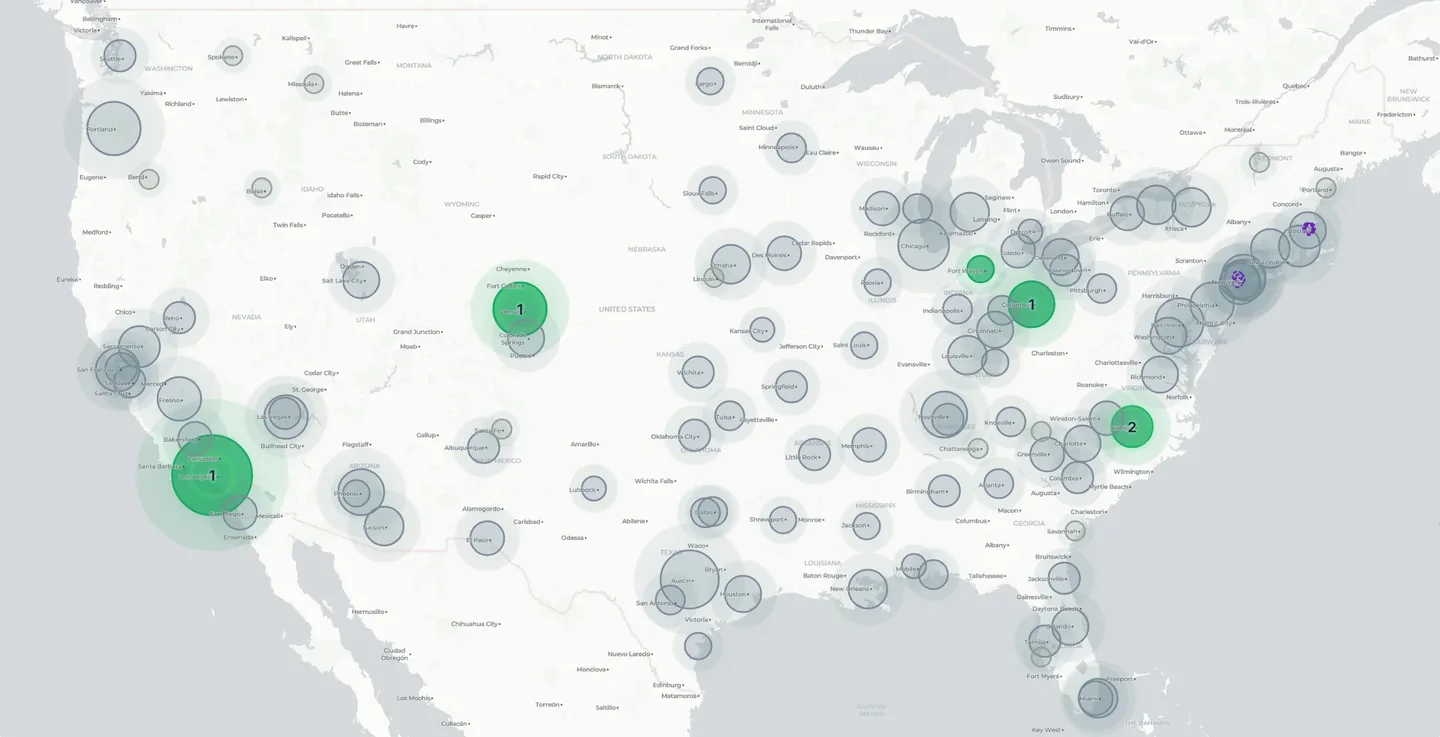
Your growing markets are in green, the places growing faster than paid spend and population explain. Here they are on the map.
Your market intelligence, in the chat.
Your AI app reads the same market intelligence you see in porterzip and answers in plain words, with a link back to each market.
Claude
ChatGPT
Cursor
VS Code
Any MCP app
Ask in your own words.
No reports to build and no filters to learn. Ask what you would ask your analyst.
“Where is my brand growing on its own right now?”
“Show me my markets on a map.”
“Which ZIP codes started rising since our last refresh?”
“Did the spring campaign lift sales in the test markets?”
“Find new places that look like my best markets.”
“Chart new customers by week against last year.”
“Give me the Meta Ads file and tell me how to load it.”
Chart new customers by week against last year.
New customers by weekThis yearLast year
Or start from a ready brief.
Find them in the porterzip menu of your AI app. Each one pulls the right reads together so you do not have to know what to ask.
Where to grow next. Your growing markets and the new places that look like them, ranked.
Weekly market check. What moved this week, what started rising and what cooled off.
Did my campaign work. Lift in the test markets against the markets we held back.
Brief my media buyer. A short brief your buyer can act on, with the files to load.
porterzip
Where to grow next
Your growing markets and the new places that look like them, ranked.
Weekly market check
What moved this week, what started rising and what cooled off.
Did my campaign work
Lift in the test markets against the markets we held back.
Brief my media buyer
A short brief your buyer can act on, with the files to load.
Connect in about a minute.
Your app sends you to porterzip to sign in and approve access. We are opening the connection a few teams at a time, so write to us and we add yours.
1In Claude open Customize and then Connectors
2Click the plus and choose Add custom connector
3Name it porterzip and paste the address below
4Sign in to porterzip and choose Approve
5Start a new chat and ask about your markets
On a Claude Team or Enterprise plan an owner adds porterzip once for everyone. Then each person connects their own porterzip sign in. Any other app that supports connectors on the open MCP standard works the same way.
Name
porterzip
Paste this address when your app asks for it
https://app.porterzip.com/mcp
Next, sign in to porterzipApprove
Everything you read in porterzip.
Your AI app can look up anything you can see in the app, for every workspace you can open.
Growing markets
Where your brand is catching on by itself, with paid spend and population taken out.
New markets
Places you are not in yet that look like your best markets.
Changes over time
What changed since your last refresh and how each market moved.
Campaign lift
Results from your holdout tests, read against the markets held back.
Retail and products
Shelf and store reads and how your products compare by place.
Reports and files
Your saved reports and the targeting file for each channel you run.
Any ZIP code
The full read on one market, the same detail you see in the app.
The map and charts
Our growth map and charts drawn right in the chat, ready to explore.
Your access and nothing more
Your AI app sees only the workspaces you can open in porterzip.
Read only by design
Every porterzip tool only reads. There is no write access to remember to switch off.
Never your customers
Your app gets places and numbers. It never receives a customer name, email or address.
Disconnect any time
Remove porterzip from your app, or cut it off in Settings under Connected apps.
Your porterzip data is covered by our privacy policy, terms and security overview. What your AI app does with what it reads follows that app’s own policies.
For developers and coding agents.
This is our hosted MCP server. Point any MCP client at the address and sign in when it asks.
Claude CodeIn your terminal
claude mcp add --transport http porterzip https://app.porterzip.com/mcp
Something else? Write to [email protected] and tell us which app you use and what you asked.
How do I get access? +
We are opening the connection to a few teams at a time. Write to [email protected] and we add yours.
Which AI apps work with porterzip? +
Claude today, and any app that supports connectors on the open MCP standard. We add steps here as we try more apps.
Can my AI app change anything in porterzip? +
No. Every porterzip tool only reads, so it cannot change a market, a file or a setting.
Why does my app ask before each porterzip tool? +
Your app asks the first time it uses each tool. Everything porterzip offers only reads, so you can choose Always allow.
Does porterzip see my chats? +
No. We see only the requests your app sends us, such as which workspace or ZIP code it asked about. We keep those records for 90 days and then delete them.
Can my whole team use it? +
Yes. Each person connects their own porterzip sign in, and each sees only the workspaces they can open.

 porterzip